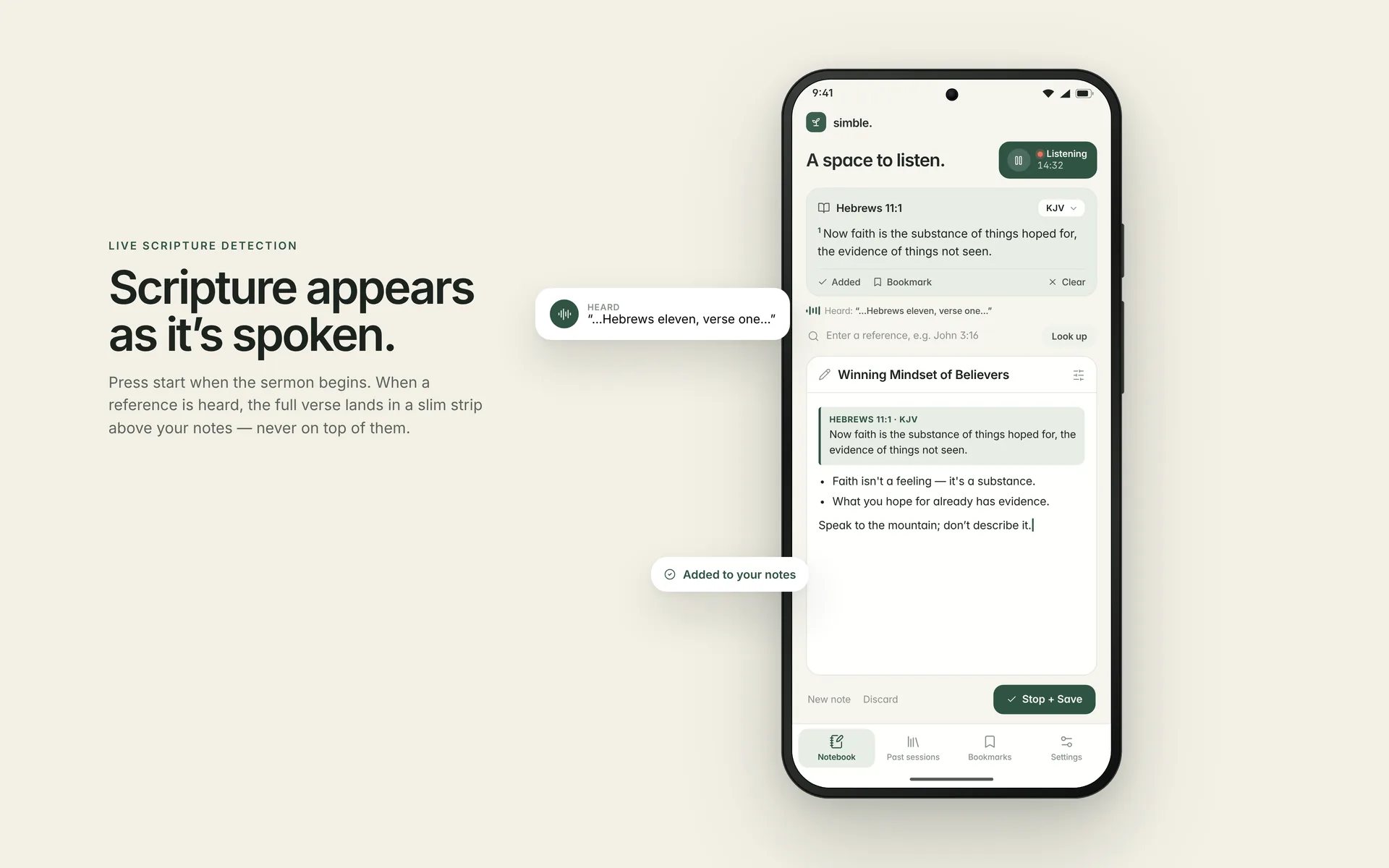
Press start when the message begins.
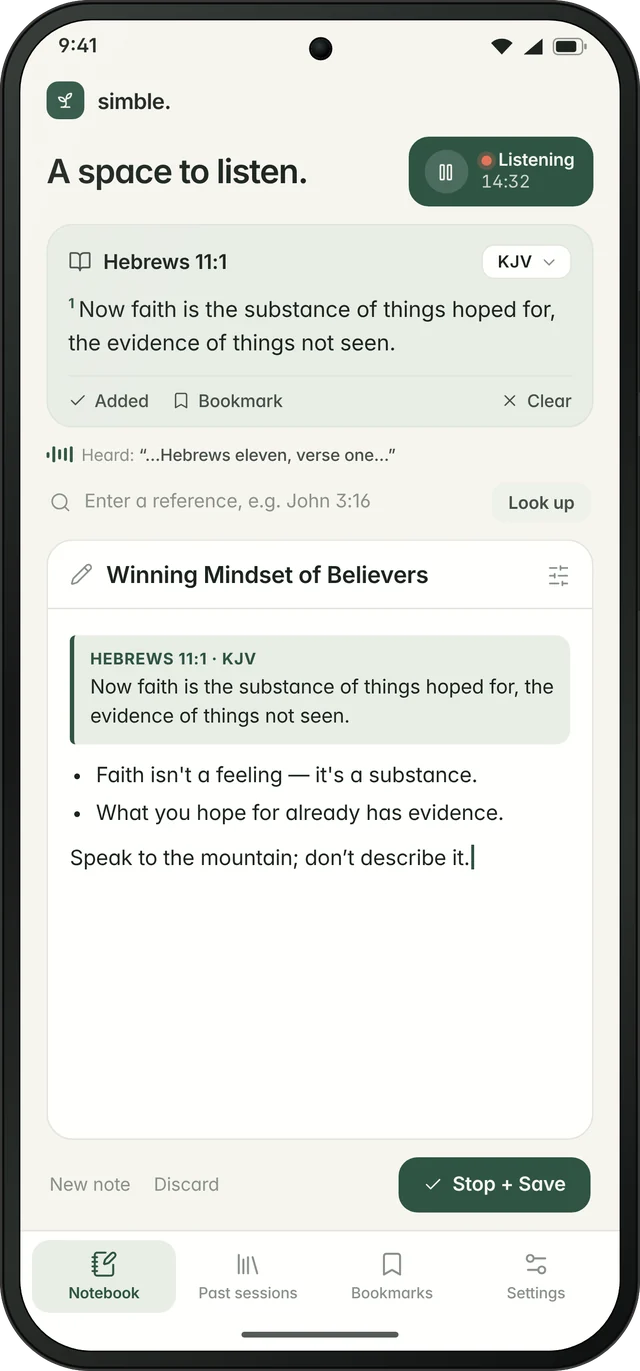
A live timer shows that Simble is listening. Listening happens only during an active session.
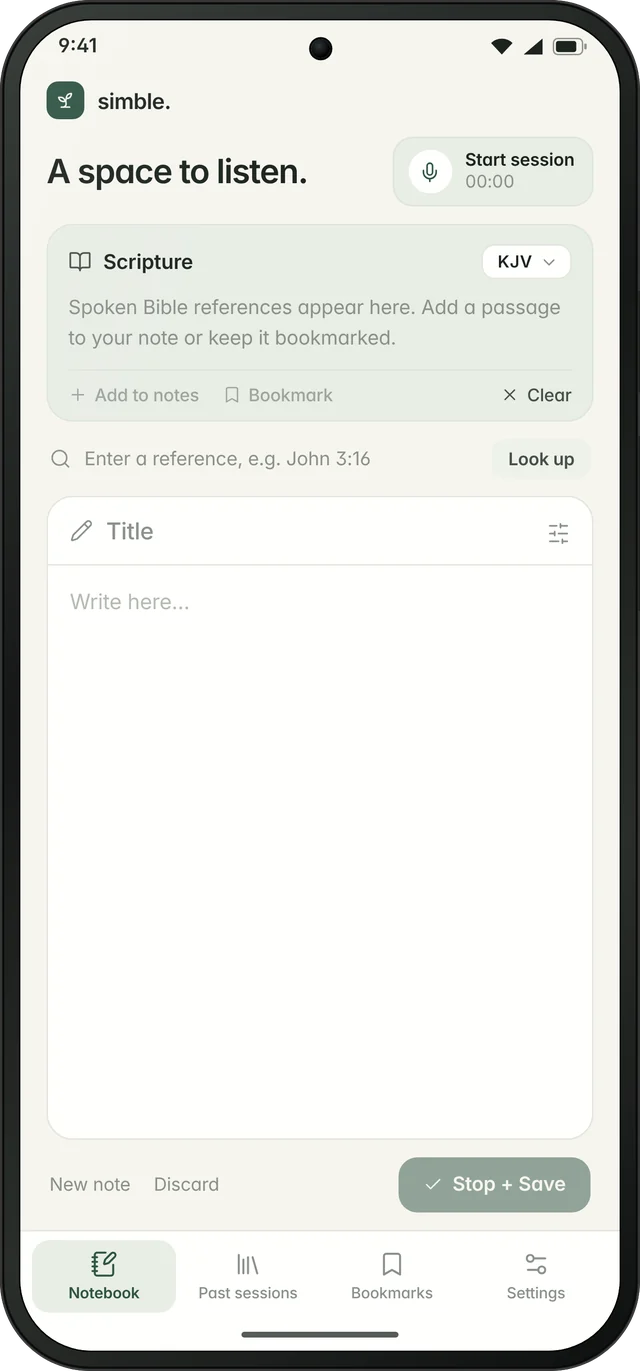
Simble is a calm sermon companion. Tap start when the message begins. When the preacher says a scripture, the full verse appears above your notes, so you never have to stop listening to go looking for it.
He kept citing scriptures, one after another. By the time I'd found one, typed it out and gone back to my notes, the sermon had moved on and I'd missed the point he was making.
…and lose the flow of the message. Every reference means stopping, switching apps, typing, reading and coming back.
and miss the exact words of the verses being quoted. Notes apps don't know scripture, and Bible apps aren't built for notes.
So I built the notebook that finds the verse for you, while you keep listening.
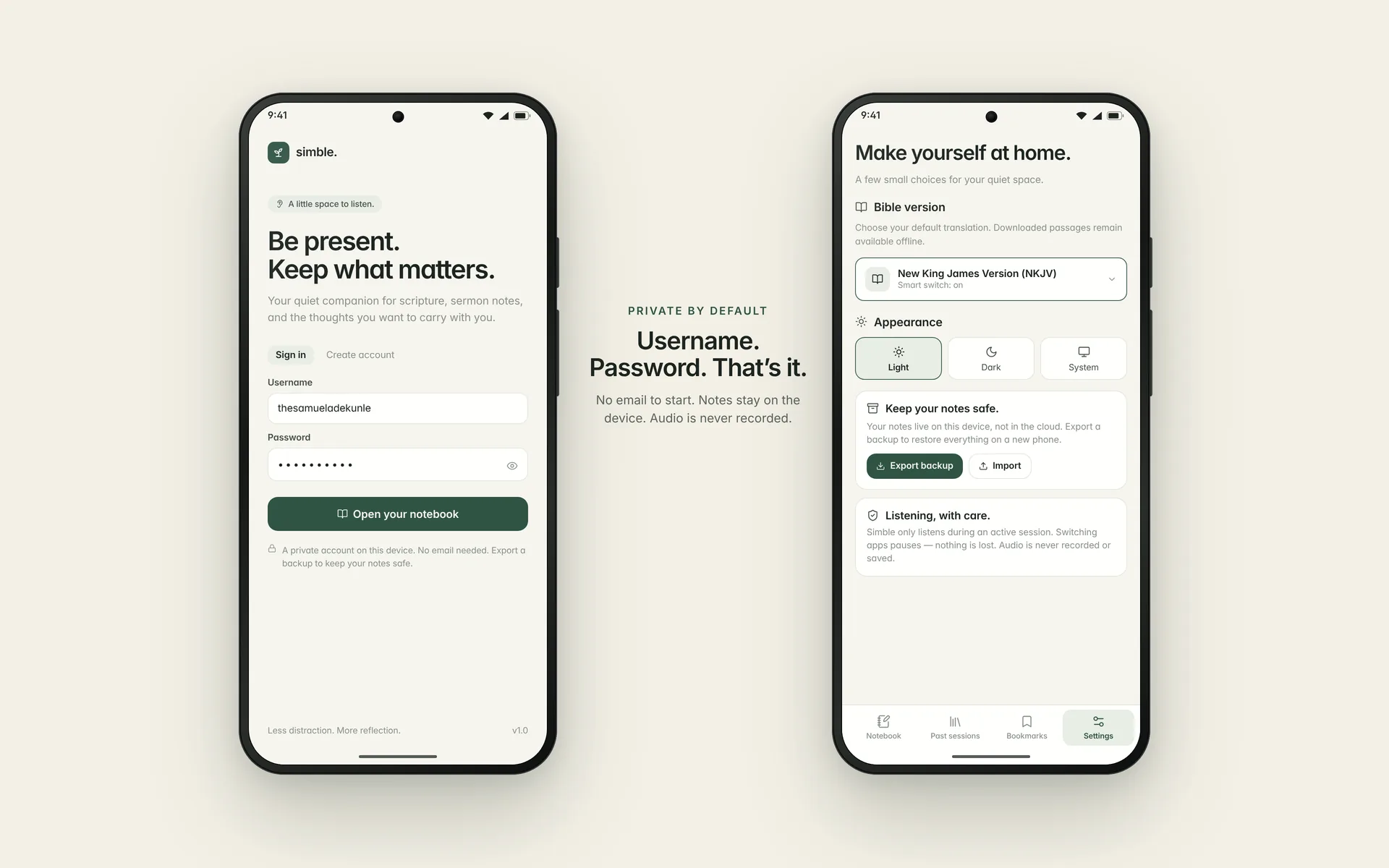
Sign in with a username and password. No email needed to start.
A live timer shows that Simble is listening. Listening happens only during an active session.
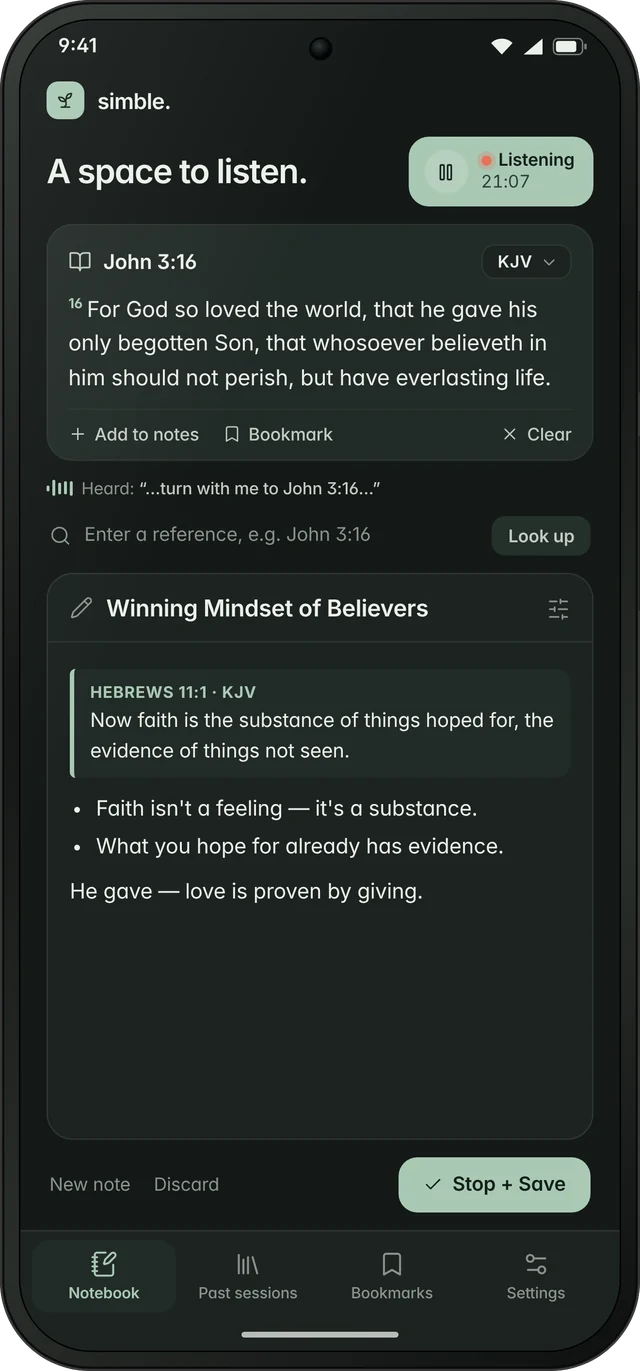
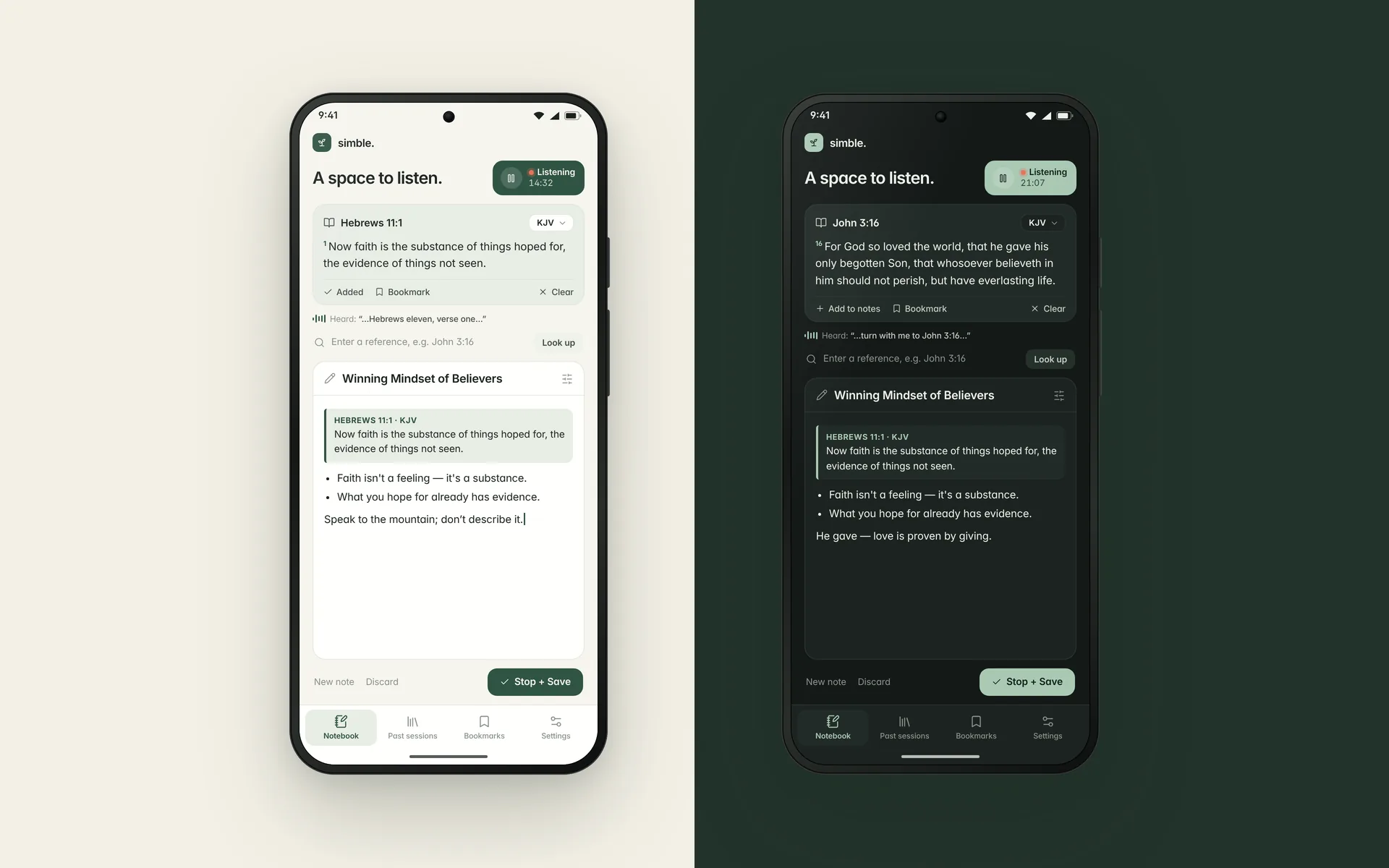
When a reference is heard, the full verse lands in a slim strip at the top. It never covers your notes.
One tap adds the verse to your note. Stop + Save keeps everything together, ready to reopen or export.
Short abbreviations in the notebook and full names in Settings. If the preacher names a translation, the smart switch changes to it, and you can always change it back.
Spoken references like "turn with me to John 3:16" are recognised and opened to the full passage automatically.
The scripture strip stays slim and fixed at the top. Your title and writing canvas get the rest of the screen.
No audio recorded, no email required, and your notes live on your device.
Prefer to search? Type any reference and tap Look up.
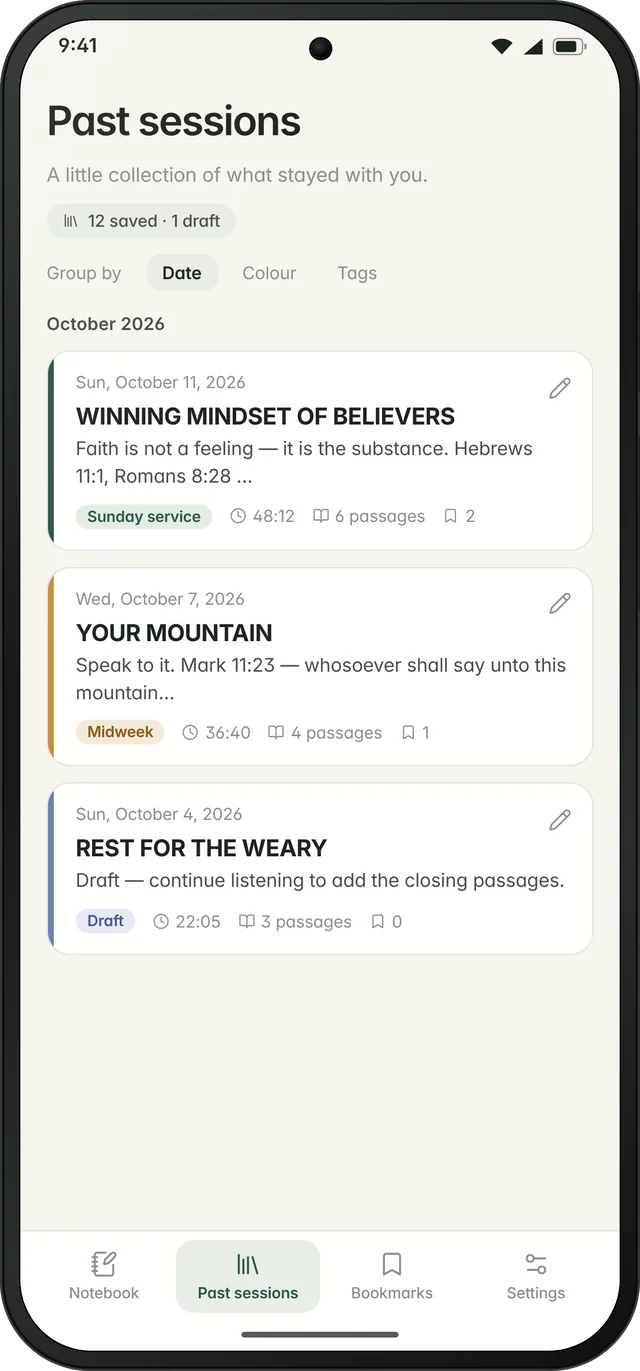
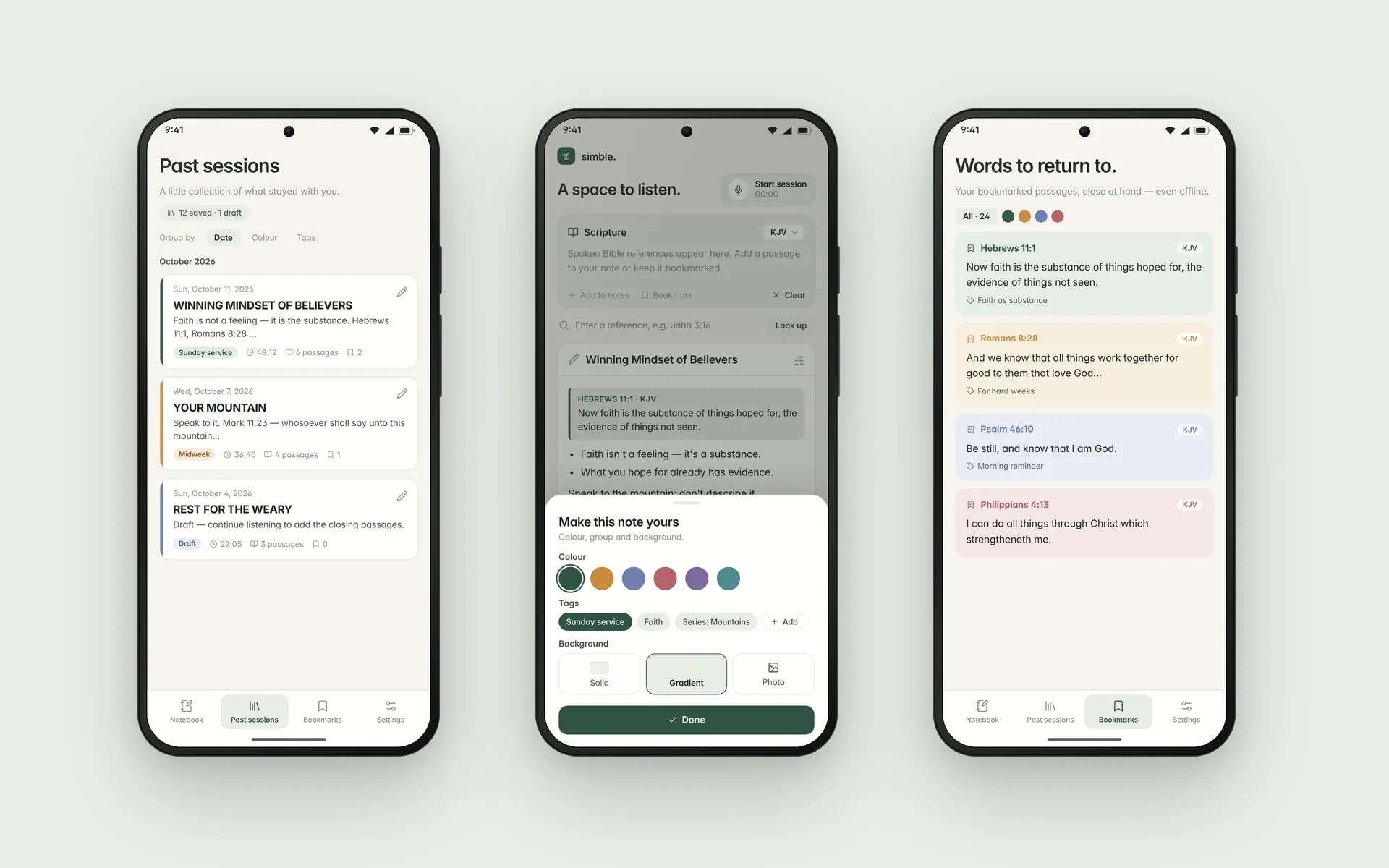
Tap the pencil on any note to keep writing, or start listening again to add new verses.
Switch apps and listening pauses, but nothing is lost. When you come back, choose Continue or Save.
Colour-code notes, group them by date, colour or tag, and set a solid, gradient or photo background.
Bookmark verses with a colour and a title. They're kept close and available offline.
Export a session as PDF, text or image. Back up everything and restore it on a new phone.
Easy on the eyes in a bright hall or a dim evening service.
Soft space, a single green accent and clear actions. No streaks, badges or feeds, only you, the message and the Word.
Simble is built for one of the most personal hours of your week, and we treat it that way.
Sim- from the Greek σημειωματάριο (simeiomatário), meaning notebook, plus -ble from Bible. A notebook for the Bible.
Simble isn't available to download yet. Join the waitlist and you'll be among the first to get it, try it in a real service, and help shape what comes next.
You tested it in a real service. Now help shape what it becomes. Every review is read, and it decides what we fix and build next.
The review page opens on Sunday. Until then, keep testing: run a full session, add and bookmark verses, try a different Bible version, and export a backup, so your review covers everything.
Not a tester yet? Join the waitlistSimble launches on Saturday, October 17 at 7:00 PM WAT. People on the waitlist get the download link first.
Simble is launching on Android first.
No. Simble listens only while a session is active, to spot Bible references. It never records or stores audio.
Speech recognition is handled by your phone's speech service and may need a connection. Your notes, saved sessions and bookmarked verses stay on your device and are available offline.
Twenty of the most-used English Bible translations, including KJV, NKJV, NIV, ESV, NLT, AMP and GNT. You can set a default in Settings or switch on the fly.
Listening pauses, but your note and any verses already captured stay put. When you come back, choose Continue or Save. Only Stop + Save ends a session.
Export a backup from Settings and import it on your new phone. Everything comes with you: sessions, notes, verses and bookmarks.